


Why Looking Up Single Words in YouTube Subtitles Fails (and How Context Fixes It)
Tap one word on a subtitle and Google Translate often misses particles and the meaning you actually need. Why that happens, and why the lookup has to include the whole sentence.
5 min read
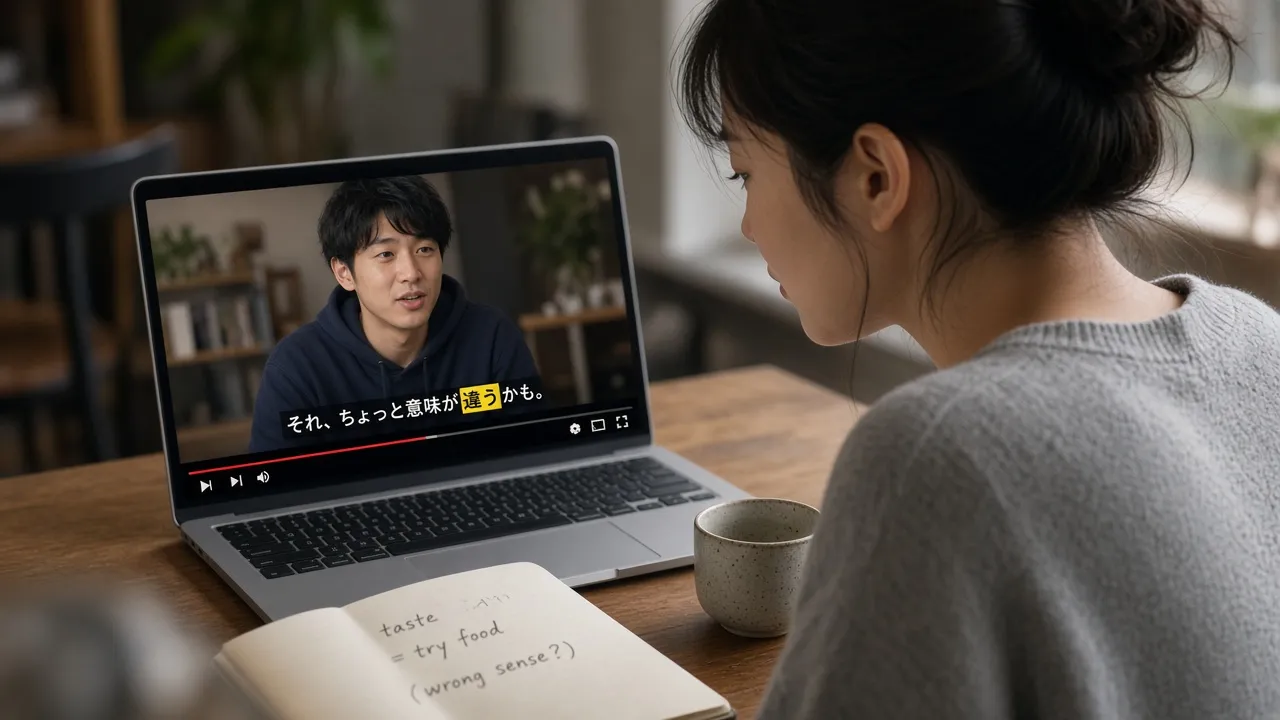
Short answer: Google Translate and similar neural machine translation engines are designed for whole sentences. When a video-learning extension sends only an isolated single word — stripped of its context, such as looking up book from the phrase “book a table” without the object — the engine cannot determine the part of speech and defaults to the most frequent dictionary definition (treating the verb “to reserve” as the noun “novel/book”). Similarly, the Japanese topic particle は (wa) is misidentified as the standalone noun “teeth” (ha). The proper solution is to use an AI lookup tool that provides the entire subtitle line as context.
This is not a review of the Google Translate website, and it is not a fix for “Translate isn’t working” connection errors. Those belong on Google’s support pages. This page is about tapping a word on a video subtitle, and why that tap goes wrong.
Disclosure: this guide is written by the LingTube team. LingTube looks up words with the full subtitle as context. Examples below were checked in October 2026.
What people usually mean by “Google Translate is wrong”
Search that phrase and you get three different complaints:
- The app or site failed (couldn’t connect, wrong language detected). Product bugs. Not this article.
- A whole sentence came out clumsy. Machine translation still paraphrases. Fine for the gist, weak for study.
- One word from a subtitle is the wrong meaning. This is the YouTube-extension problem.
Language-learning extensions tap a word and, to keep costs down, many of them send that one word to Google Translate, Microsoft Translator, or DeepL without the sentence. Those engines are accurate on full lines. They are not dictionaries. They will not pick the meaning that fits this line unless they can see the line.
Three failures you will see on subtitles
1. Particles and tiny grammar words
Japanese は marks what the sentence is about. It is usually left untranslated, or hinted as “as for.” The same sound, 歯, means “tooth.” A one-word lookup has no way to prefer the particle, so you get “teeth.”
Korean 은/는 and 이/가 look like “just particles” in a dictionary. In the sentence they decide whether you are the topic or the focused subject. The translation “I” hides that. The grammar is in the Korean subtitles guide.
2. Words with several meanings
| Subtitle expression | Isolated dictionary hit | Contextually accurate meaning |
|---|---|---|
| book a table | a novel (noun) | reserve (verb) |
| get a bus | obtain (verb) | catch / board (verb) |
| light the candle | not heavy (adjective) | ignite (verb) |
| Japanese 見る (〜てみる) | generic “see” (verb) | try doing something (auxiliary verb) |
| Spanish esperar | hope (to hope) | wait (to wait) |
A model that sees the whole sentence can pick the verb. A one-word engine returns the meaning that shows up most often in its training data, which is often the noun on a vocabulary list.
3. The line was already chopped
YouTube auto captions split on pauses. If the extension translates each fragment, even a good engine is translating half a thought. Repair the sentence first; that is why auto captions break mid-sentence. Looking up a word inside a fragment stacks two errors.
What actually works on a YouTube subtitle
You need three things in the same click:
- The whole current line, not just the word.
- A translation of what you selected (one word, or a phrase you dragged).
- A note on why, when the word is a particle, an idiom, or a speech-level ending.
LingTube sends the tapped word or the dragged phrase together with the full subtitle to a large language model, so book in “book a table” does not come back as a novel, and は is tagged as a particle rather than a noun. It also labels part of speech on the line for English, Japanese, Korean, French, German, Spanish, Italian, and Simplified Chinese.
That is a different job from the Google Translate Chrome extension, which translates web pages. It does not run in the YouTube player, it does not keep dual subtitles, and it will still guess if you highlight one word on a caption.
A two-minute setup
- Install the LingTube Chrome extension.
- Set the language being spoken and your language.
- Open a YouTube or Netflix title and enter study mode. You should see the original line and a translation under it.
- Tap a word. If a phrase is the unit of meaning, drag across it.
- For a particle or an ending you still cannot parse, run grammar on that sentence and save the pattern, not every noun.
Word and phrase lookup, grammar analysis, and furigana are on the paid plans (Plus at $5.99/mo or $57.50/yr, Premium at $9.99/mo or $95.90/yr). Dual subtitles, danmaku, and shadowing stay free. New accounts get 3 days of Premium. Desktop Chrome only; no LingTube mobile app. Languages: English, Japanese, Korean, French, German, Spanish, Italian, Simplified Chinese.
If you mainly wanted two subtitle languages and you already know why tap-lookup fails, the setup-only page is dual subtitles on YouTube and Netflix.
When Google Translate is still the right tool
- A whole email, a menu, a paragraph you will not study.
- A language LingTube does not learn (anything outside the eight above).
- Checking whether two full sentences mean the same thing, side by side.
Do not use it as the dictionary behind a tap on a subtitle. That is the mismatch this page is about.
FAQ
Why is Google Translate wrong so often on single words?
Because it is not a dictionary for looking up one word. One word has no context, so it returns a frequent meaning. Particles, homophones, and verbs with several meanings are the usual misses.
Is there a Google Translate extension for YouTube subtitles?
Google’s own extension translates pages, not the YouTube player. Dual-subtitle extensions add a second caption line. Some of them still call Google Translate per word. If the lookup ignores the rest of the sentence, you get the errors above.
How do I translate a word on a YouTube video correctly?
Send the word and the current subtitle to a model that can choose a meaning. In LingTube, tap or drag in study mode. If the official captions are fragments, merge or transcribe first.
Does this work in the YouTube phone app?
No. Browser extensions do not run there. Use desktop Chrome, or a learning app that has its own player.